


『Endress Hauser Flow Meter Promag 300 Manual Download: Smart Transmitter Webserver Setup』Related information(flow rotameter|digital flow meter|balo meter|hydraulic flow meter|volumetric meter|positive displacement meter|pitot tube flow meter|displacement meter|cfm meter|variable area flow meter|inline flow meter|differential pressure flow meter|calibrated flow meter|velocity meter|paddle wheel flow meter|oval gear flow meter|anemometer hvac|multiphase flow meter|doppler flow meter|thorpe tube flowmeter|heat flow meter)

Endress Hauser Promag 300 Manual Download and Smart Transmitter Webserver Setup
Quick Answer: For Promag 300 smart transmitter setup, you need the device IP address, a browser, and access credentials. Silver Automation Instruments supplies compatible magnetic flow meters with Ethernet webserver support for DN15 to DN600 lines.
Engineers search for this topic when a Promag 300 needs local configuration or a quick replacement. Most issues come from wrong IP settings, not from sensor failure.
How to Access the Promag 300 Webserver
Connect the transmitter to your plant network or laptop with an Ethernet cable. Set your laptop IP address to the same subnet as the transmitter. Open a browser and enter the transmitter IP address. Use Chrome, Edge, or Firefox. Old Internet Explorer versions may not load all screens.
Enter the access code. The default read only code is 0000. The maintenance code is often 100. If the code was changed, contact the plant administrator or Endress Hauser support. Once logged in, you can view flow rate, totalizer, diagnostics, and parameter settings.
Common parameters on the webserver include damping time, pulse output scaling, low flow cut off, and empty pipe detection. For a wastewater line, set empty pipe detection on and current output to 4-20 mA HART. For a batching system, set low flow cut off to 0.05 m/s to avoid false totals when the line is idle.
Promag 300 Manual Download
Endress Hauser hosts the Promag 300 operating manual on its document portal. You need the order code or serial number. Search by document type for the technical information file and operating instructions. Those files include wiring diagrams, explosion proof certificates, and parameter tables.
Silver Instruments does not host Endress Hauser manuals. We supply our own manuals with every SIT-300 magnetic flow meter. Those manuals include a full parameter list, Modbus map, and wiring notes.
Silver Instruments SIT-300 Series as a Spare or Replacement
The SIT-300 is a full bore electromagnetic flowmeter with a smart transmitter. It covers DN15 to DN600 pipe sizes. The standard liner is PTFE. Electrodes are 316L stainless steel. Outputs include 4-20 mA HART, pulse, frequency, RS485 Modbus RTU, and Ethernet with a webserver.
Accuracy is ±0.5 percent of reading for flow rates above 0.5 m/s. The display shows flow rate, totalizer, and diagnostic codes. Because the fluid must be conductive, this meter does not work for hydrocarbon service. But it works well for water, wastewater, chemicals
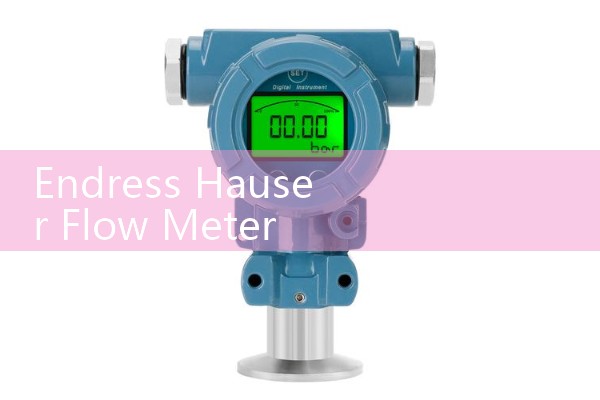
We have shipped the SIT-300 to water treatment plants in Vietnam, chemical dosing skids in Malaysia, and a fish processing plant in Australia. In many DN15 to DN300 lines, the face to face length is close enough to replace a Promag 300 without cutting the pipe.
Customer Site Example
Last year a customer in Vietnam asked us for a quick replacement of a Promag 300 on a cooling water line. The pipe was DN80, pressure 6 bar, temperature 30 °C. We supplied a SIT-300 with 4-20 mA HART, Ethernet webserver, and PTFE liner. The customer used the webserver to set low flow cut off at 0.03 m/s and shipped the unit to site without a local reprogramming visit.
Setup Parameters You Need Before You Start
Before you open the webserver, prepare pipe size in DN, fluid type, minimum conductivity, flow range in m3/h or kg/h, process temperature in °C, pressure in bar, and the output type needed by your PLC or DCS. Having these values ready reduces commissioning time from half a day to under one hour.
FAQ
Can I download the Promag 300 manual from Silver Instruments?
No. Use the Endress Hauser document portal for official Promag 300 manuals. Silver Instruments provides manuals for SIT-300 magnetic flow meters with each order.
What is the default IP address for Promag 300 webserver?
The IP address is set in the communication menu. There is no universal default. Check the local display under Setup, Communication, Web Server. Set your laptop to the same subnet.
Can the Silver Instruments SIT-300 replace a Promag 300 without pipe changes?
In many DN15 to DN300 lines the face to face length follows the same standard. Send us your existing Promag 300 serial number and pipe size. We will check dimensions before quotation.
What output signals does the SIT-300 smart transmitter support?
The SIT-300 supports 4-20 mA HART, pulse, frequency, RS485 Modbus RTU, and Ethernet with a webserver. It also supports empty pipe detection and low flow cut off.
How do I get a quote for a magnetic flow meter?
Send us your pipe size in DN, flow range, fluid type, pressure in bar, and temperature in °C. Contact Silver Instruments at Tel +86-25-68650347, WhatsApp +86-25-52155837, or WeChat +86 15365082610.
For a fast quote, send us your pressure bar, temperature °C, pipe size DN, and flow range. Email sales at flow-meter.com.au or use WhatsApp at +86-25-52155837.
 Hot Blog
 Related AD